Which version should I choose for DxO? And which one should I choose for Capture One?
Although I will no longer use the Nik Collection with PhotoLab because Nik doesn’t seem to properly write color space info to TIFFs (at least in some of my cases, which DxO has never replied to when asked), I will point out that I believe the answers you’re looking for are referenced here:
I don’t know if Capture One can communicate with the Nik Collection even though the pairing isn’t officially supported by DxO.
I recall that there was an issue …
-
Just tested it using PL 10.2.0.496 (Windows): I took a RAW file – exported as a 16-bit TIFF in the ProPhoto color space – and passed it to Nik 8 Color Efex. There, I applied a dynamic adjustment and saved the TIFF file; it was then written back to the file that had been exported initially.
.
ExifTool reported the result as “uncalibrated” and “ROMM RGB: ISO 22028-2:2013”, while Photoshop displayed “ROMM RGB: ISO 22028-2:2013.”
-
I repeated the process with a RAW file from another camera, using the DxO WideGamut color space.
ExifTool indicated “uncalibrated” and “DxO WideGamut RGB” and Photoshop showed “DxO WideGamut RGB”. -
Finally, I repeated the process with a TIFF file that was originally in the ProPhoto color space; I opened it in Nik 8 Color Efex, applied a dynamic adjustment – just as I had done before – and saved it under a new name.
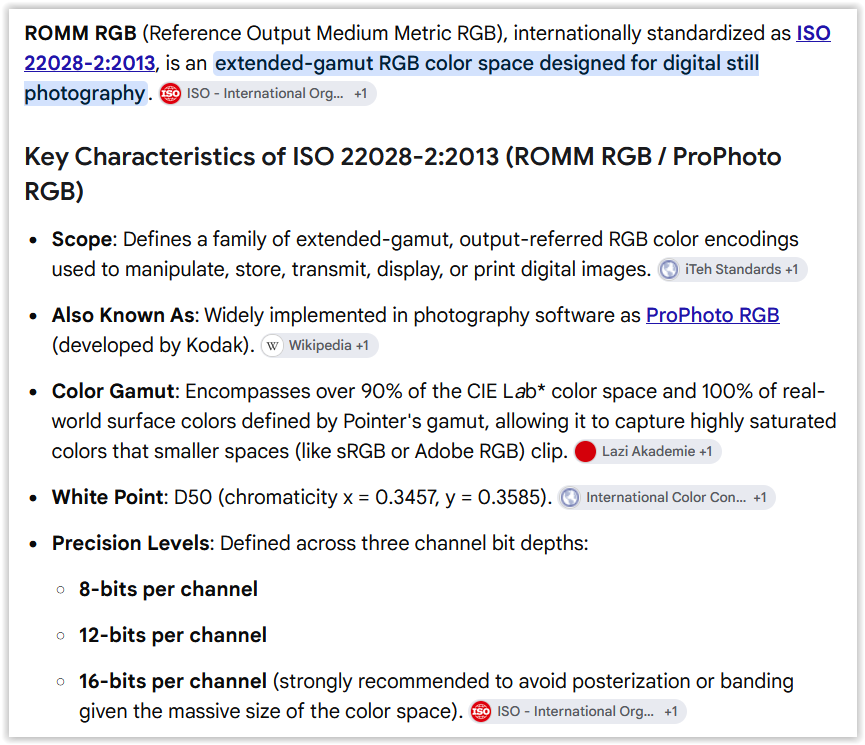
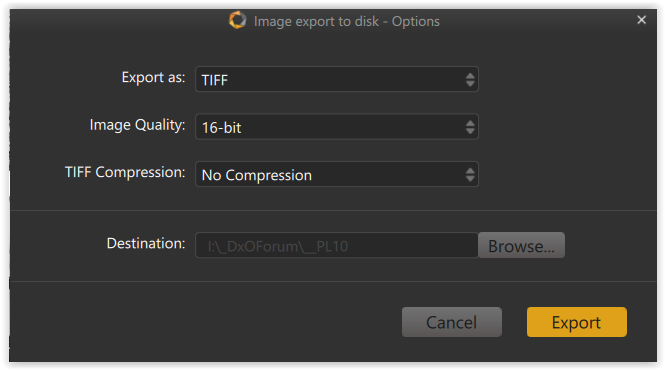
You surely already know what this means – there are (no longer) any changes or restrictions regarding the color space. Here are a few further explanations:

.
@sdgjkhtfgkj – check it out, and regarding C 1 …
I notice that your AI explanations, fascinating as they are, cite this forum as the source of knowledge. Hearsay knowledge like that needs to be verified. But I can’t click on the reference links because you attached a screenshot. In a perfect world, I would like to see an explanation of Nik working color space(s) and color space fidelity from DxO - but being able to test and verify would probably be sufficient. Unfortunately, every trial I’ve run, year after year, that invokes HDR Efex and Color Efex from PhotoLab has failed to properly pass color info back into the output TIFF. The TIFFs look OK in PhotoLab’s viewer but the histogram is way off and the color and tonal representation are wrong in other applications such as Flickr, IrfanView, web browsers, other photo viewers… even after another export from PhotoLab. If this has been fixed, I can’t find any indication of it. The problem doesn’t happen with most image files I’ve tried - just certain ones that I use as test cases. Neither I nor DxO can explain why. I have only not tested Nik Collection 9. I tested Nik by DxO versions 3-8 and then decided to wait for proper documentation of Nik’s color science and abandon it in the meantime.
Greg, I added it as a supplementary explanation – phrased better than I could have put it myself – rather than as mere hearsay. And if I recall correctly, one of the “links” led back to the cited thread.
I have now tested it using PL 10 and Nik 8 Color Efex (though not the HDR Efex module – which, incidentally, I have never liked), and Nik did NOT alter the color space – neither with the two different RAW files nor with the TIFF file. *)
You can try it out.
.
Dealing with HDR and various Windows viewers is another matter.
*) link added
I created a series of exposures for HDR,
- exported all of them as 16-bit TIFFs
using a specific color space (DxO Wide Gamut, ProPhoto),
and then passed the Original files to Nik 8 HDR Efex
for further processing, saving the final result as a 16-bit TIFF.
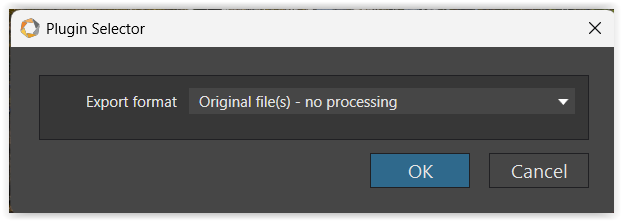
as well as
- exported all of them directly to Nik 8 HDR Efex
as 16bit TIFF using a specific color space (DxO Wide Gamut, ProPhoto)
for further processing, saving the final result as a 16-bit TIFF.
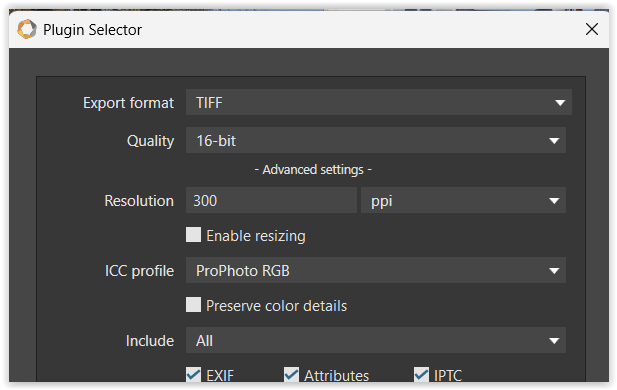
.
ExifTool revealed that the specified color space had remained unchanged.
The image viewers (FastPictureViewer / XnView XP → large preview) showed no difference in color rendition compared to PL.
( FPV must be configured manually to use the appropriate monitor profile, whereas XnView XP can detect the monitor profile upon startup. )