I’ve been looking through some older downloads, b.e from your bay series, but I didn’t find that character. So I don’t know what you mean with years.
Beside that, if you want to communicate with the rest of the world you’ll have to find a way for that.
I agree completely. Considering that when I moved, even one step, the rabbits ran off, what would you suggest I do to improve this?
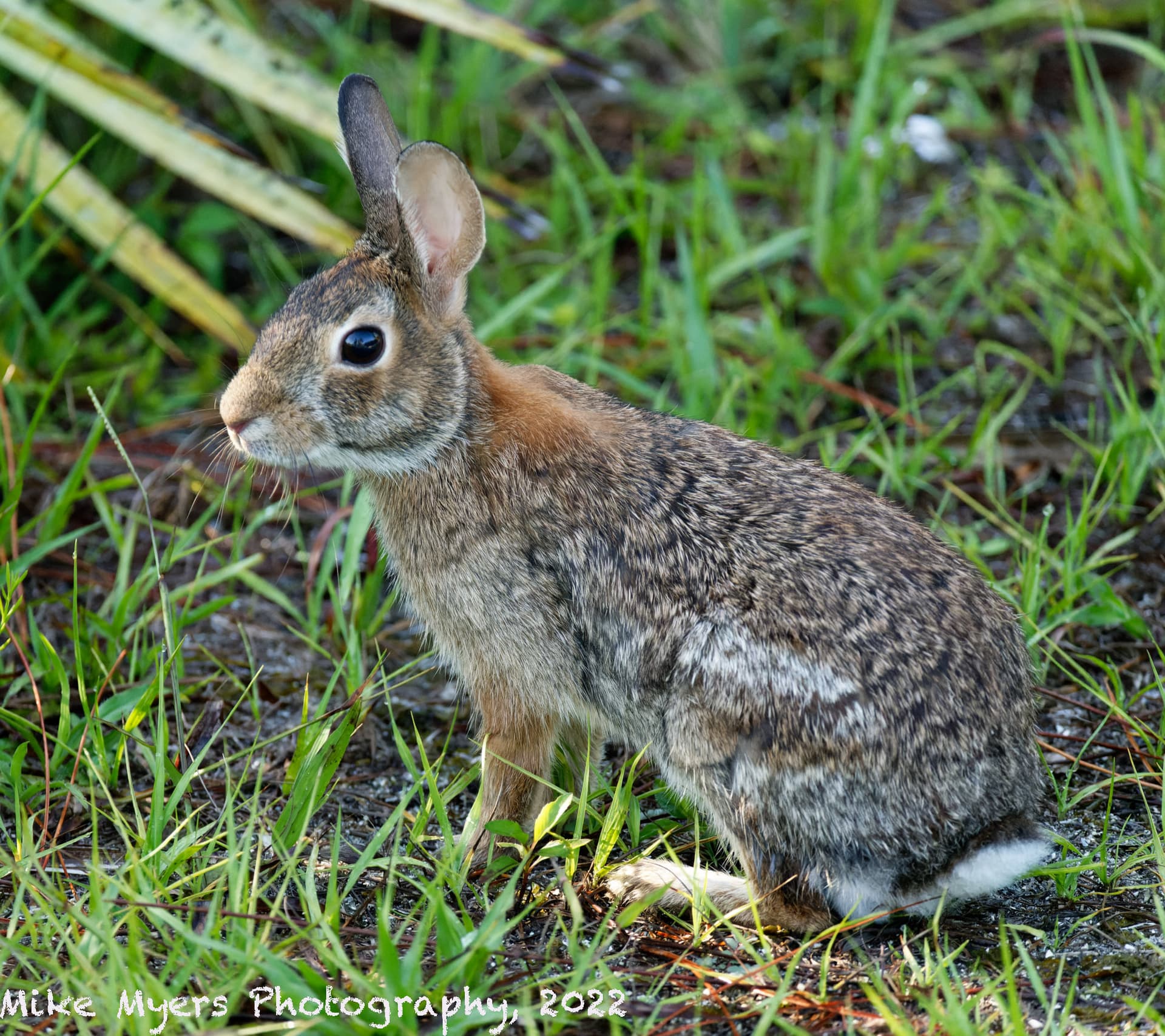
I will post my last photo later today - it is technically better, but it only has one rabbit. The photo you are referring had me standing in place for a long time, while the rabbit in the background gradually moved to where I captured that photo. It is the only time in all these years that I was able to capture the two rabbits together in one image.
I’m pretty sure that any wildlife photographer knows far more about this than I do.
I didn’t always use PhotoMechanic - photos straight from the camera are not renamed, and won’t have that character. My current workflow is to use PhotoMechanic whenever possible. When I first bought PhotoMechanic (feels like a lifetime ago), I didn’t yet know how to do the photo renaming. Those photos will have only the filename given to them by my camera.
From what I’ve learned here, the file name with or without the | character is fine, unless the person downloading the image wants to edit that photo in PhotoLab. Nobody has ever complained that they can’t download my images, and I don’t think @Wolfgang has any problems with them, unless he wants to edit them. For downloading and opening my images with a pipe character in the file name, Windows just ignores that character. It’s PL5 in Windows that won’t work with the image file and the .dop file because of that character.
I’m tempted to say this is one more reason why people should buy Mac, not Windows…
When downloading a name with the | that character is replaced by a blank, in the filename. However within the dop file that name is not corrected.
I don’t know who corrects the wrong filename, the browser or the os?
With all respect but the oldest dop file with a | in it is only from this month. All the images before didn’t have it.
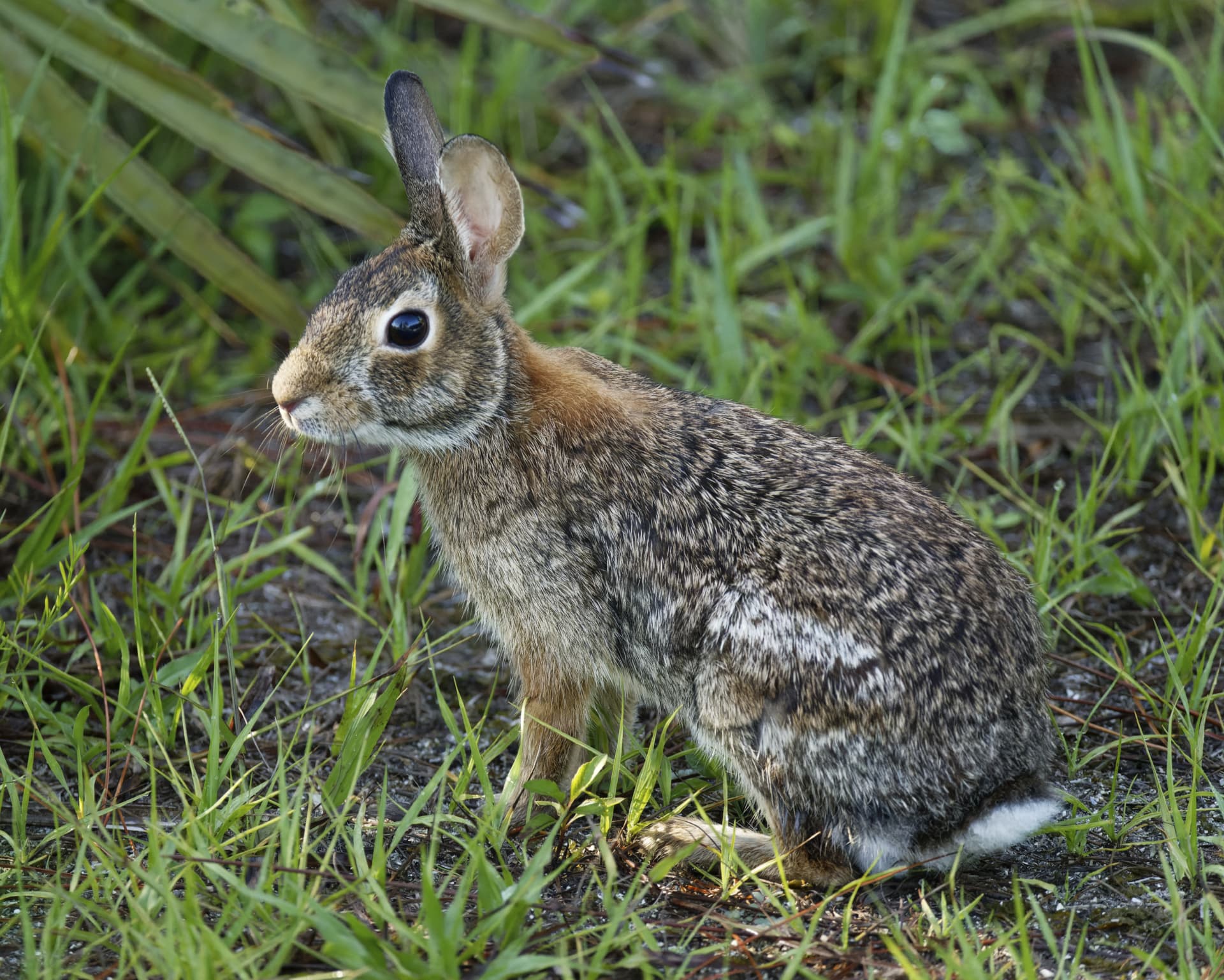
A better photo, with my reflection in the rabbit’s eye (can be seen by zooming in):
Not very much editing.
300mm Nikon lens to get close.
I like this image, probably my best rabbit photo.
Windows:
I give up for now. I changed the name of the .nef file to simply “windows.nef”, but when I copy/paste it shows up here with the original name with a pipe symbol. I will try again in a new response to this thread… later.
As a test, I copied my files to my Mac Mini, and uploaded the finished .dop file to this forum reply - worked fine. A lower case “s” replaced the pipe: MM2_1511 s 2022-06-08.nef.dop (24.8 KB)’
So far, so good!
I see that the lower part of this screen capture is what I hoped t see as I was copying the .nef file, with the “s” replacing the pipe:
…But here is the uploaded .nef file, which still has the pipe:
Give up that vertical line. If you want to communicate with people outside the mac population you’ll have to find a way to do it.
Try something as MM2_1511-20220608.nef. Try to avoid blanks in the name too. It’s allowed but can be confusing.
What’s the info in your naming. MM your initials, 2?, 1511? and than a date.
So, you’re demanding that Mike gives up a file naming protocol that he has used for years, with several thousand photos already indexed, just because Windows is incapable of working as well as Mac?
That’s easy. The 2 is because he used his second camera and 1511 is the image number.
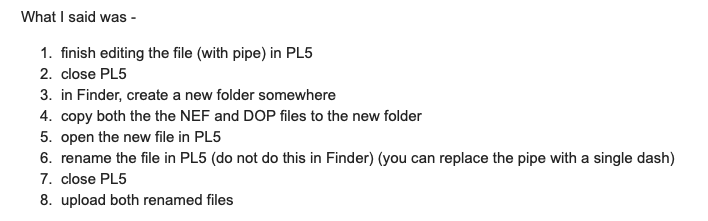
I have laid out a procedure for Mike to prepare his files for uploading here. He is just having a couple of problems getting used to it. A little patience is required, since it is yet another thing to have to get to grips with.
If that info is available, yes. The name is always available.
And there’s no sub-sorting possible on the number. The most simple and effective way of naming is MMyyyymmdd-xxx. And one can use MM2 also.
I do believe it works fine for him. But he has problems sharing his files with others. It’s all up to him if he wants to continue that way or overthink another approach/setup.
I’m just pointing at some short comings.
@Wolfgang
I closed pl. Deleted the database and cache.
Deleted the dop file and downloaded a new one…
Further 2 actions:
1.
opened Pl.
Viewed the image.
Opened custumize but didn’t do anything.
Closed PL.
Dop file not changed. Still with the vertical line in it’s internal name.
Opened PL.
Viewed the image. Reset is still greyed out.
Played with exposure and did it set back to original.
Closed PL.
Dop file has still the same name but is overwritten by a new one. The vertical line has disappeared.
My conclusion is that PL doesn’t read the original dop file or there’re no edits in it.