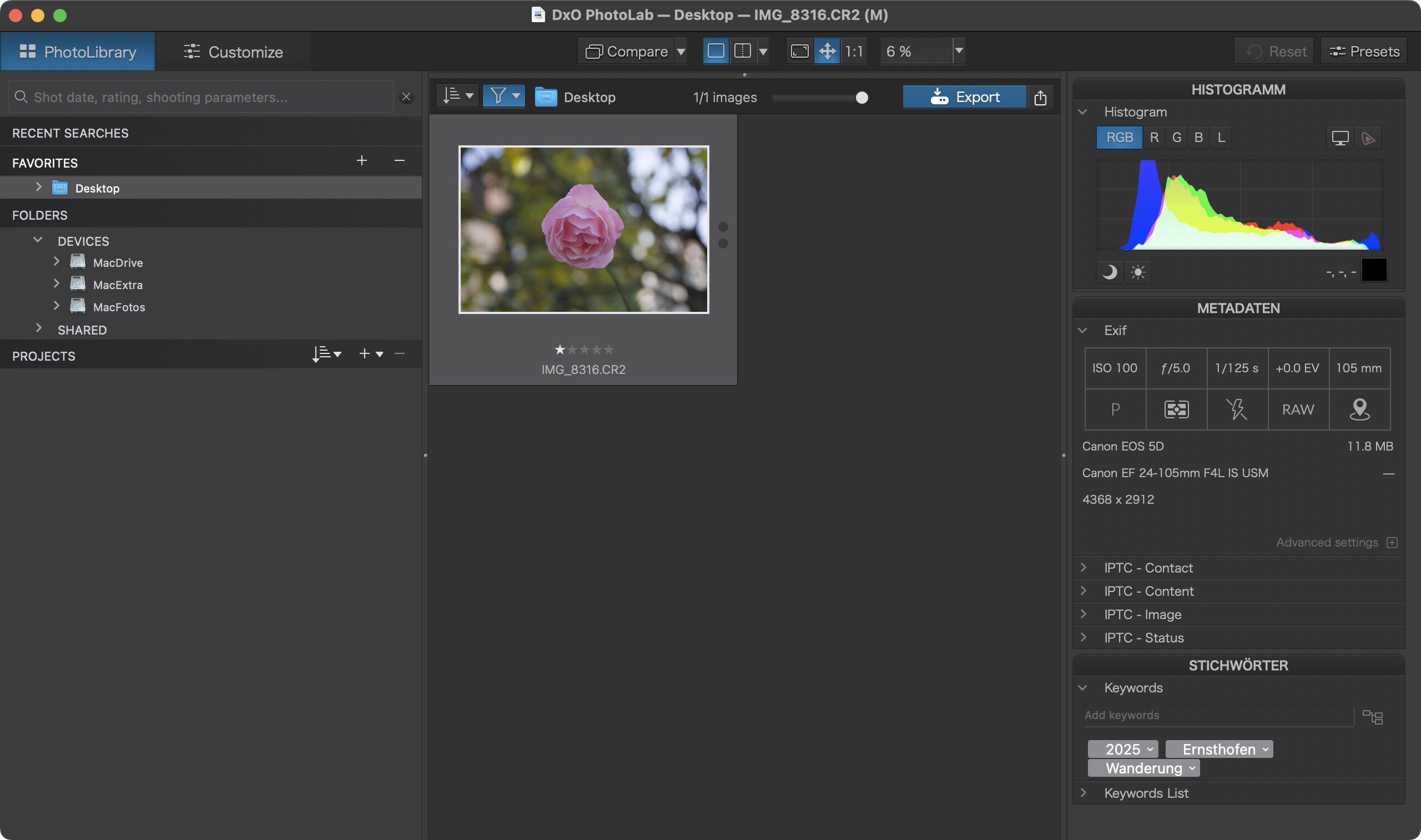
It´s great to have HEIC/HEIF functionality now in PL9. But it seems no metadata is read out of the corresponding xmp Files.
Am I doing something wrong?
Best,
Joe
It´s great to have HEIC/HEIF functionality now in PL9. But it seems no metadata is read out of the corresponding xmp Files.
Am I doing something wrong?
Best,
Joe
As I recall, this problem is mentioned in the PhotoLab 9 release notes at support.dxo.com.
Sorry but I cannot find any special info regarding metadata in heif/heic in the release notes.
Its really anoying:angry:
Waiting for years to have heic support. Bought it and now the metadata is not read….
Do we again have to wait years for it?
Which software produced the xmp files?
The xmp files come from Capture One. The JPG/NEF xmp files are read correctly.
Wanted to add xmp-content but I get the error:
“Ein Fehler ist aufgetreten: Entschuldige, neue Benutzer können Beiträgen höchstens 2 Links hinzufügen.”
Instead of adding an attachment, you could share files (image and sidecar) with a cloud service - if you have one - or sharing service like wetransfer.com.
Ok. Here´s a link to a xmp File not read by PL9. Neither tags nor rating is recognized.
When I export the file file to jpg, exactly the same xmp is read.
One more info: I activated “sync metadata with xmp” in settings. I changed rating and keywords but no setting is written to the corresponding xmp file. If sync is just “one way” then this should be clearly noted in the settings.
It seems xmp is just completely ignored for heic files.
Not having the related HEIC file, I tried with a CR2 file and PhotoLab 9.1.1 (on macOS 14.8.1) read the sidecar, showed the rating and the keywords.
This proves nothing though - because the corresponding file was absent.
I usually set PL to not sync xml because it can lead to loss of metadata every now and then. I also switch off automatic r/w of .dop files. If I really need sidecars, I export them manually at the end of a session.
Doing this kept PL nice and smooth on spinning platter drives. With SSD drives, performance is less of an issue, but the number of behind-the-scene interrupts is drastically reduced.
Sorry. Here´s the link to the HEIC-File
@platypus: As I already said. The xmp-data of NEF Files created with CO is read correctly.
From what I can tell, XMP metadata is stored in the XMP section of the metadata inside the HEIC file, not in a sidecar, which is not necessary
joannacarter@MacBookPro Desktop % exiftool -xmp:all IMG_8316\ copie.HEIC
HDR Gain Map Version            : 131072
HDR Gain Map Headroom           : 6.407171
XMP Toolkit                     : Image::ExifTool 12.11
Subject                         : Jazz
Date/Time Original              : 2025:06:20 14:14:13.029+02:00
GPS Altitude Ref                : Above Sea Level
Rating                          : 2
Preserved File Name             : IMG_8316.HEIC
@schweidj1970 : As a little test with your files revealed, PL9 does NOT read from the XMP sidecar, nor does it write to it.
Test:
@Joanna , @platypus
That’s what I found out too. I used exiftool to extract rating and subject to write it into the heic file, and voila PL9 got the information:
exiftool -tagsfromfile IMG_8316.xmp -subject -rating -overwrite_original IMG_8316.HEIC
It seems CO1 is not able to write metadata directly into HEIC. So I sit on my fotos and again have to find a workaround to use PL9. I really like the quality of PL9 edits but this guys make it really really hard for users to change their workflow.
I would expect them to have a lot of interest to make users use their software. But now I hope a lot of people read this thread and reflect if they want to spend the time and money on metadata and the software.
As they refused to offer HEIC support for years I wonder if they also refuse to apply existing program code for reading xmp to the same xmp file for heic.
On support.dxo.com you can also post tickets with suggestions.
I’d try this for a change.
btw: Same problem with jpg. No xmp read. DXO should clearly state in the settings for which filetypes they read xmp files. Just saying “Sync metadata with xml-sidecar files” is definitely not enough
Have you seen the OUG:
https://userguides.dxo.com/photolab/en/managing-images/#synchronization__reading__writing_of_metadata_and_conflict_resolution
If you enable metadata synchronization in Preferences, this information will also be saved in the .XMP sidecar files (for RAW images) or in the headers for DNG, JPEG and TIFF files.
The OUG has not yet been updated to HEIC, though.
Even worse, if you load metadata for a HEIC by Import Sidecar PL9 tells you it had load the file, but nothing happens. If you try this with a JPG PL9 drops an error.
All sidecar topics work fine with Fujifilm and Nikon RAW files since years, even if you change outside of PL the metadata the sidecar will be read automatically.
This means:
Either you go the workaround with exiftool, described above
Or you export the HEIC in CaptureOne (or anything else) to JPG including Metadata Info.
Any other ideas ?
This is because PL9 doesn’t expect a sidecar for HEIC files and it reads from the HEIC file itself. I have an HEIC file and a JPG file, both of which have keywords in the original files. Both load fine and the keywords are readable.
Apparently, Lightroom either couldn’t, or possibly still can’t manage metadata in HEIC files, so they decided to add XMP files for that file type.
On the other hand, as @platypus points out, PL9 doesn’t read XMP sidecars for HEIC or JPEG either.
So, this is a failing of CO as PL is not the only software to be unable to read metadata from XMP files attached to HEIC files.
You could always try running a batch update something like this…
exiftool -tagsfromfile *.xmp -subject -rating -overwrite_original *.HEIC
Let me repeat, this is not an exclusively PL problem. The cause is CO not following guidelines when writing.
But, of course. That is because although, you can, and it is perfectly safe to, write to RAW files, the default is to use sidecars.
That’s the point, “the default is to use sidecar”
PL handles metadata different, depending on the filetype, on RAW files they use sidecar and on JPG, HEIC they ignore the existing sidecar.
Funfact: On DNG (AppleProRAW) the XMP (generated by Apple Photo) is not recognised by PL, so its not a RAW format for PL, which is at the end consistent to the import into PL.
But if you open HEIC, DNG (Apple) for the first time, PL is asking for download lens and systems parameter files, so it’s handled as a RAW !?