“Without any user intervention required, DxO PhotoLab corrects four optical
defects: distortion, vignetting, lateral and longitudinal chromatic aberrations, and
lens softness. It does this thanks to a unique database containing years of
information on the optical defects of photographic equipment (lenses and
cameras) tested in our laboratories.”
So my question is ‘Should one turn off auto distortion correction in camera or not?’
In my own experiments it seems I get better distortion correction in PhotoLab with the camera auto lens distortion turned off.
mwsilvers
(Mark - New Jersey, USA, Win10, RTX 4060, PL9, FP8, VP5, Nikon Zf )
2
Generally in-camera settings affect jpeg files only, or raw files when using the camera manufacturers proprietary editing software . You would have to check to see how your camera system handles this. Again, in general, third party raw processors like PhotoLab don’t recognize those types of in-camera settings so you would not need to turn those settings off in camera..
@Ray56 , are you comparing a camera corrected jpeg against an exported jpeg that was corrected by PhotoLab?
Distortion correction is usually based on information about the distortions created by the lens and notably the price vs. quality decisions of lens design and manufacture.
We know (implied by the focal length and focusing distance tools of PL and former communications) that DxO takes these settings into account, while we have no information about such things from the lens manufacturers.
On the other hand, Hasselblad says that each lens comes with the data derived from measuring that same lens…and we can assume that such a correction is probably even more accurate than DxO’s.
So, if you seem to get more accurate distortion correction from PhotoLab, by all means, use it if you want or need it. In camera distortion correction is only applied to and visible in out of camera JPEGs, RAW data is left as it comes from the sensor in most cases. That is why I put the question on top of my post. To make sure that we don’t compare fish to fruit.
I should have mentioned I don’t shoot jpeg. I am only referring to raw files.
These are Nikkor lenses on a D500. In particular the Nikkor AFP DX VR 10-20mm G f4.5-5.6 when hand held and not always perpendicular to the ground.
It’s not as great a difference when using FX lenses like the 70-200mm VRII f2.8 or the 24-70mm f2.8.
I would try the lens on my D810 but PhotoLab does not do that combination of body and lens even though the D810 automatically goes into DX crop mode with the lens attached.
I’ve looked it up and apparently the Nikon raw editor (Capture NX) can read all the camera settings which third party editing software does not. I didn’t realise but still can’t understand the discrepancies with the settings on the camera off or on that I’m seeing in PhotoLab. Mainly it’s the sides that get stretched in DXO when using the 10-20mm.
The answer is relatively simple.
If this correction is enabled, it initially only affects JPEGs. With RAW files, the data is simply stored alongside the original. DxO doesn’t use it.
BUT—if you’re shooting action, for example, it’s better to disable it because it slows down the autofocus. You might not even really notice it, but that’s how it is.
yes, DxO shows images “stretched” if its tools are set to do so (distortion and crop)
I propose you take to shots of a brick wall with your camera. one with correction on, one with correction off. Then, in PL, apply “No Correction” to both RAWs before you do anything else. Export both and compare results.
If you want, you can also add a link to a share with the two images of the brick wall. This gives us an opportunity to see what happens when we control the customising. Not that I want to imply that you’re doing something wrong, but I can’t see your screen and customising settings and it’s hard to comment on something standing in an abandoned tunnel (so to speak)
Note: “brick wall” simply stands for anything that has straight lines that help to make distortions visible.
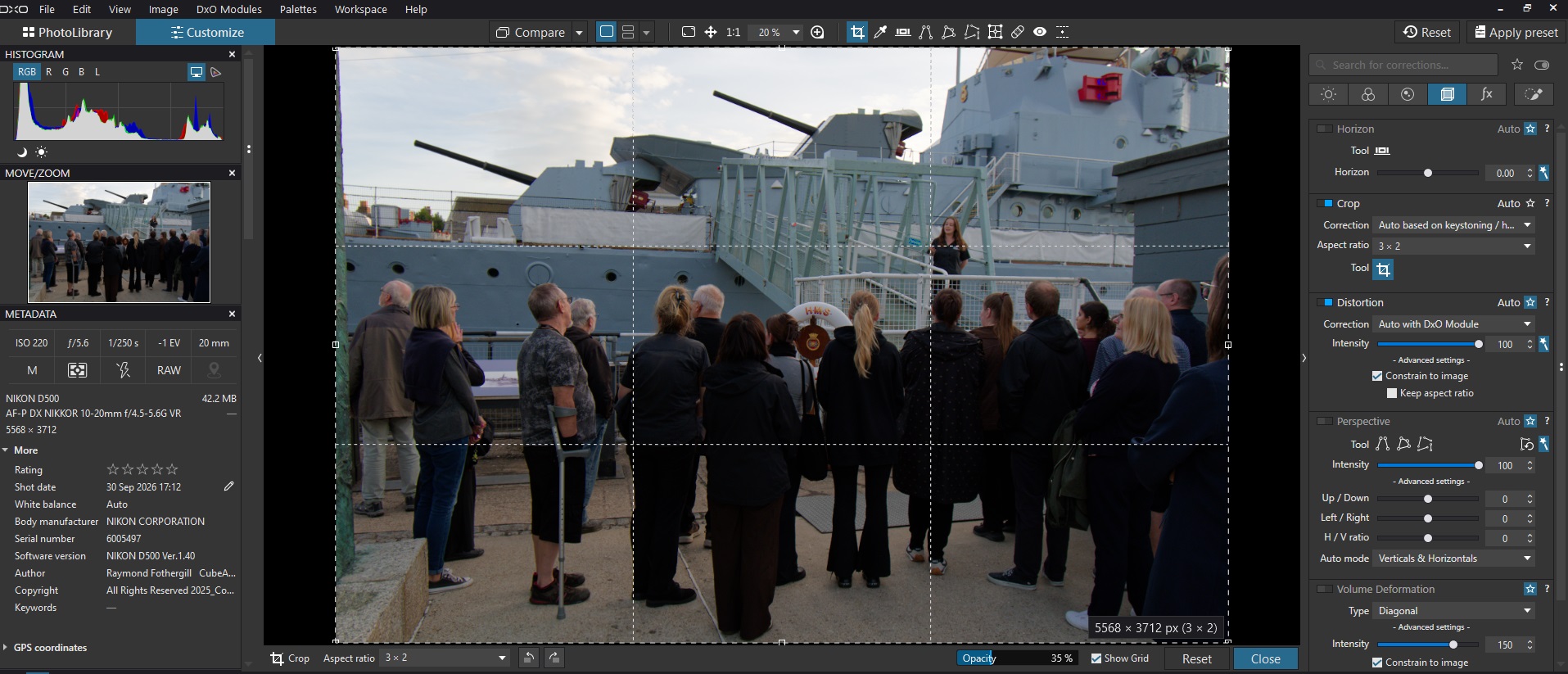
Thanks very much for the suggestion. It gave me an idea as over time, before using the 10-20mm as much as I have done recently, I had stored my own ‘Pre sets’ and have just tried the DXO ‘Optical corrections only’ setting and the side stretching has stopped even though the settings look identical.
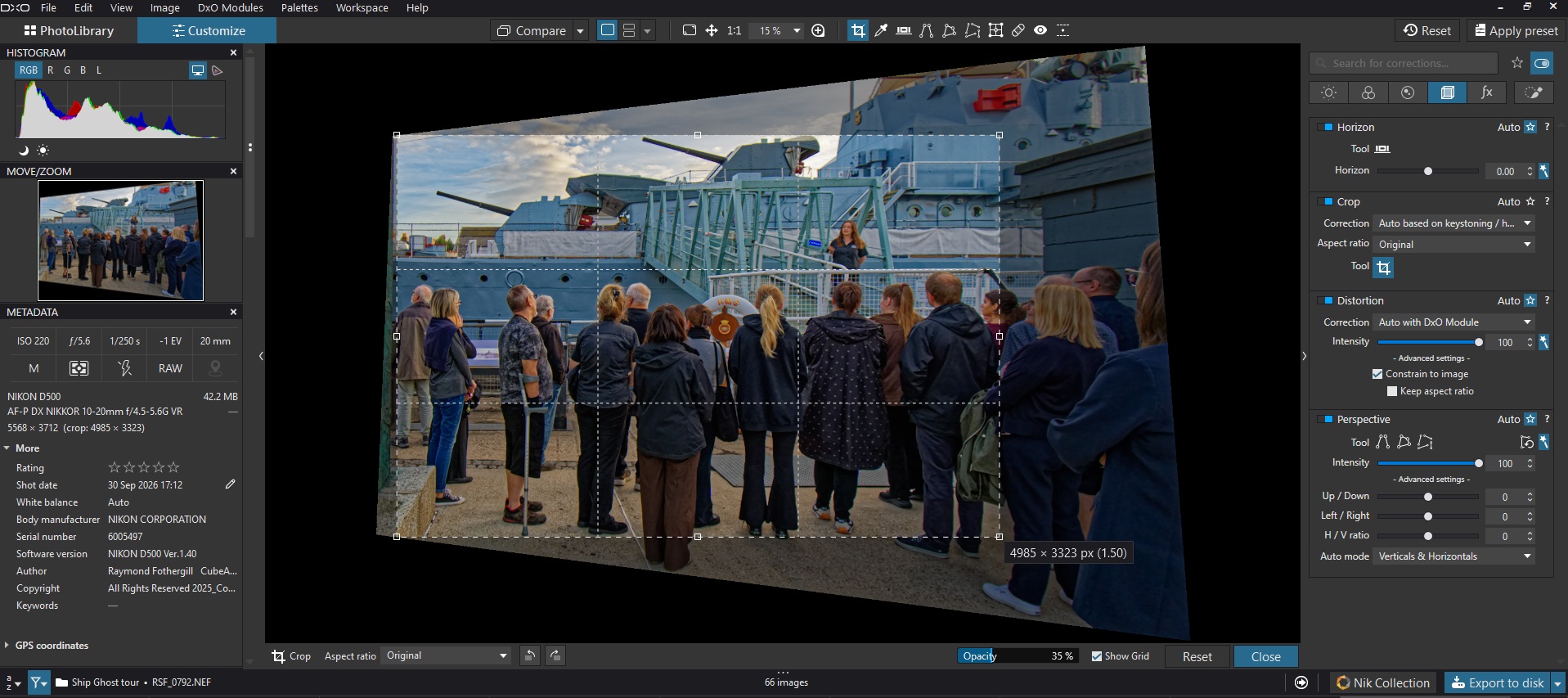
You have Perspective correction turned on and set to Auto. That will correct things you don’t want corrected. In your case, it levels semi-horizontal edges in the ship and on the floor by shortening the left edge of the image.
When you apply optical corrections only, the Perspective adjustment palette is turned off.
That’s how it comes up using the DXO Optical corrections only preset in my copy of PhotoLab 8 Elite. Should perspective control be off all together? Then verticals tend to bend or change angle at the extremes of wide angle shots. Is it possible I have I inadvertently altered a DXO preset?
Presets are a little confusing. You don’t know what preset is used. When you open an image the first time then the preset from Preferences is used. But when you alter that preset manually then that preset will be used. It’s stored in the dop file. Dop file overrules the preferences. So when examining your image always change the preset manual so you know what is used.
And use graph paper. It makes it much easier.
Then change it so that it’s only adjusting verticals, not horizontals, and create a preset with the settings you want to have enabled. Don’t just leave it on all-default settings. And if you get stretching at the edges that you don’t like, the tool that corrects that is Volume Deformation correction (which I believe requires a ViewPoint license).
Also check the settings in the crop tool when perspective corrections are used. It pays to look into the additional features (click on the plus-box in the lower RH corner of the tool) and decide which setting you want or need. Maybe you care for subjects that might otherwise wander out of the cropped image.
Lens distortion and perspective correction are two completely separate things. The first tries to compensate for design compromises of the lens, while the other can be used to compensate e.g. lines that are converging and should be parallel.
Distortion and perspective corrections might not bee needed for every image. Landscapes can do without, cityscapes tend to need them and as soon as you get groups of people, volume anamorphosis is almost always wanted.