@John-M Since DxO abandoned the less than ideal use of the forum for Beta Testing and replaced it with an even less ideal structure, that effectively isolates (silos) Beta testers and one that I consider a complete failure on so many fronts.
It might have worked if DxO formed small groups of testers using a restricted, group forum, led by a DxO developer or support representative and had a much more formal approach to the whole thing but DxO knows best and the AI fiasco is partly a result of that, i.e. they cannot be entirely blamed for Nvidia issues (or can they!?)
It “avoids” the issue of Beta testers creating a consensus that “upsets” DxO’s carefully crafted plans and then “ganging” up on DxO, i.e. injecting a dose of reality into some design that falls short of users expectations. or “replaces” or disrupts a useful feature,
rather than providing options.
The isolation of Beta Testers for PL8 and potentially PL9 means that essentially no-one knows.
A consensus of one is easily crushed by a " works as intended" response from DxO and that is the end of any discussion!?
1 Like
Stenis
(Sten-Åke Sändh (Sony, Win 11, PL 6, CO 16, PM Plus 6, XnView))
22
Turning on the Synchronization is vital to synch with the metadataworld even outside of Photolab. If synch is set to On all changes we do on metadata in any other external application will be able to see in Photolab and vise versa.
… and there is another problem too and not just in Photolab and that is that as in I guess all other of the most common RAW-converters they all work internally with the old IPTC-metadatastandard and then translates and synchs that with XMP for external synch. Sometimes that creates problems of their own because different applications handles this problems differently and that is the main reason why it is a bad idea to update metadata in more than one place.
I guess most people using XMP/IPTC get confused from time to time. It is also very common that a set of IPTC used in one application might not exactly match the others and it is to be expected that a set of Label colors supported is one application might differ slightly from all the rest just to point at one of the most common mismatches I have seen personally.
Imo, setting PL to automatically “sync” metadata is a bad idea because it can act against the principle of “single point of definition”.
If DxO had split the setting for metadata as it has for sidecars, we could set PL to only read MD automatically to keep us informed of any change done externally. I work around this issue by leaving metadata sync off and by e.g. reading metadata manually with the provided menu item.
@be51 I am not sure I understood your comment but the posts after I started writing this one provide a clue.
Editing the DOPs manually is way too time consuming and potentially risky.
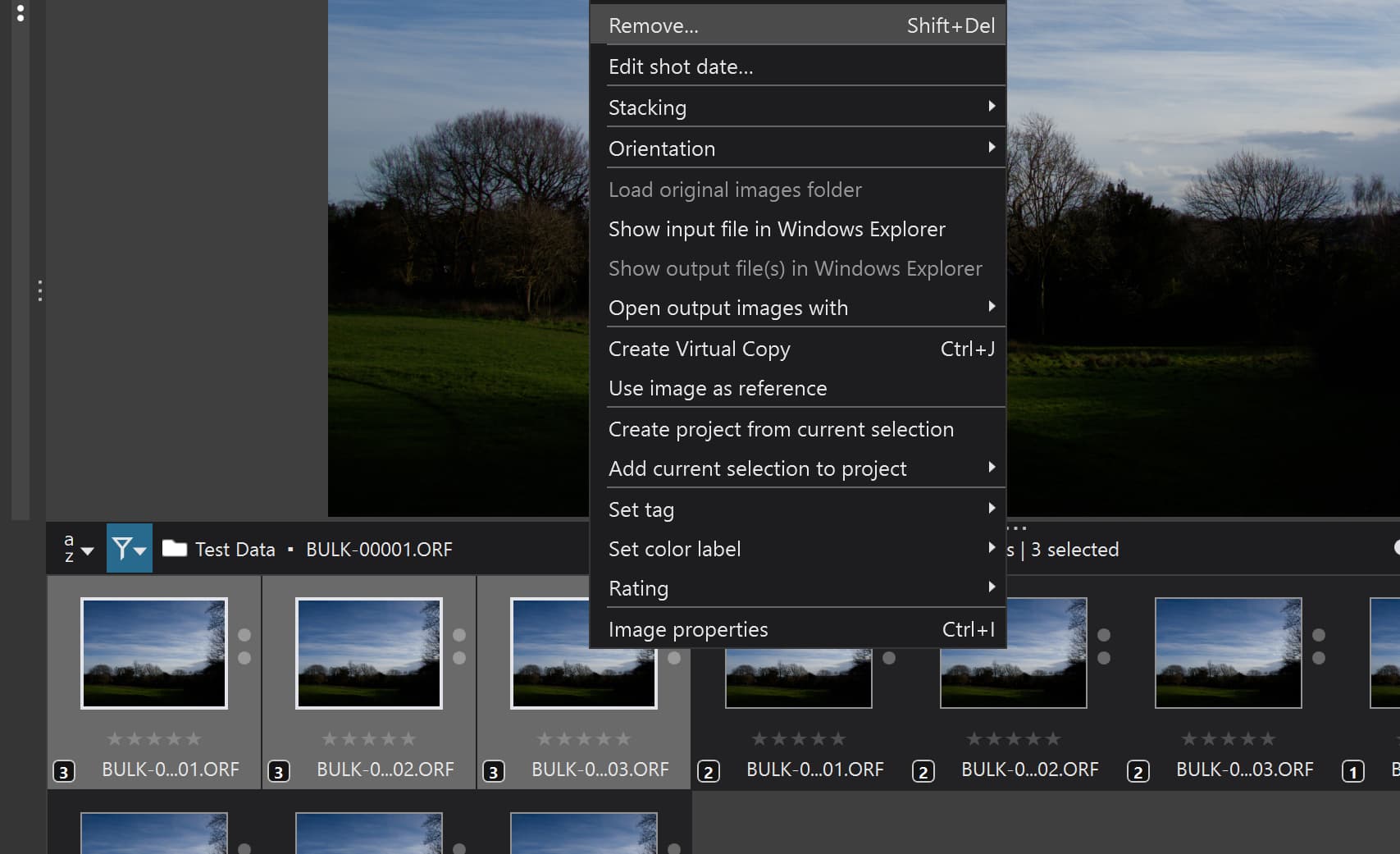
Destroying the DOP does not destroy the contents of the database, i.e. VCs still exist in the database and PL does not provide a mechanism to Promote a VC to become the [M]aster and deleting the [M]aster deletes everything, i.e. the DOP, all entries from the database, the image and any xmp sidecar file!?
If you want to delete all VCs then
2. Remove the stack as has been explained above
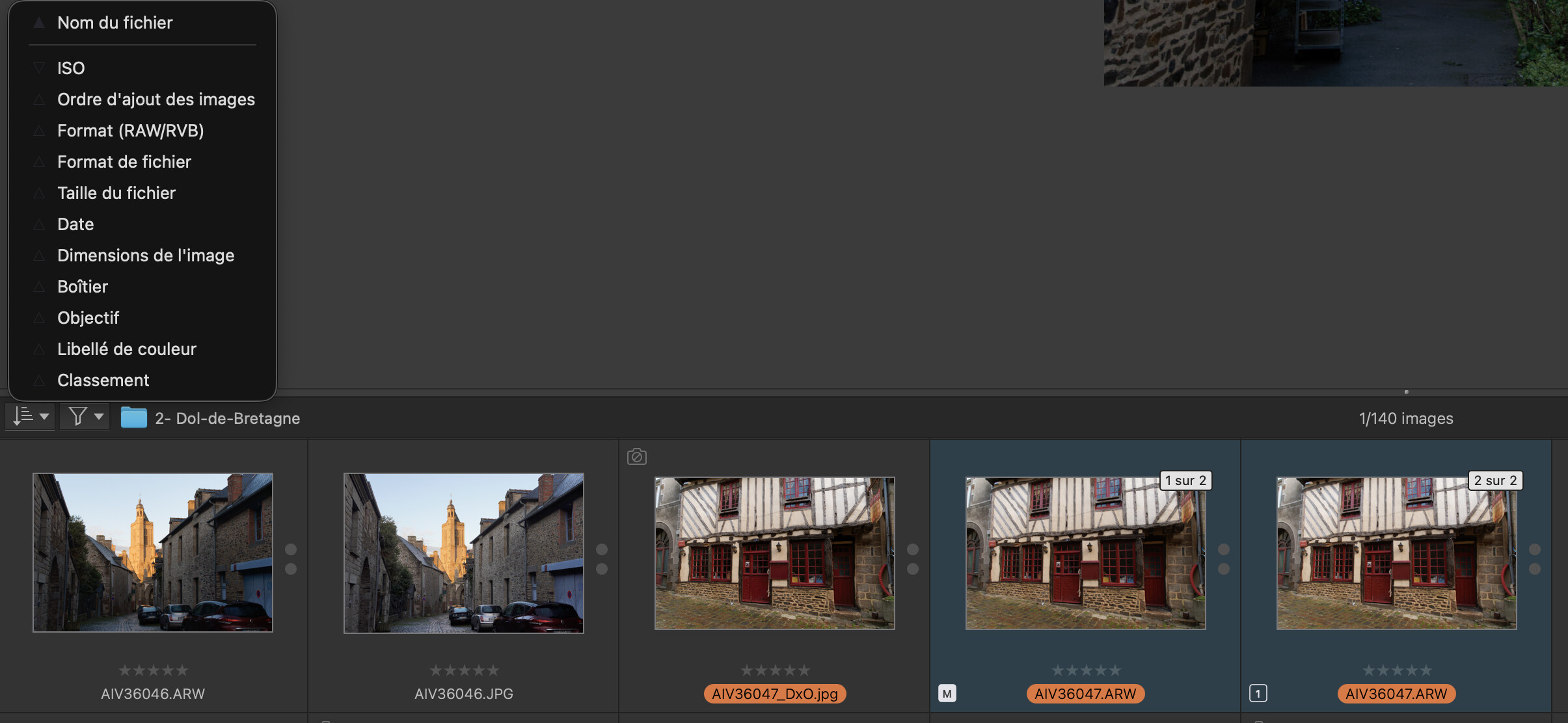
3. Execute the ‘Sort’ by ‘Virtual copy number’ to put all the [M]asters together followed by all the VC[1]'s, followed by …etc. or vice versa.
4. Use the ‘Remove’ with the VC or VCs selected before hand, e.g. all the VC[3]s in my example below after executing steps 1, 2 and 3 above.
Cde Backspace removes from the project but don’t remove the virtual copy from dop file.
For information, it is the same in PL8…
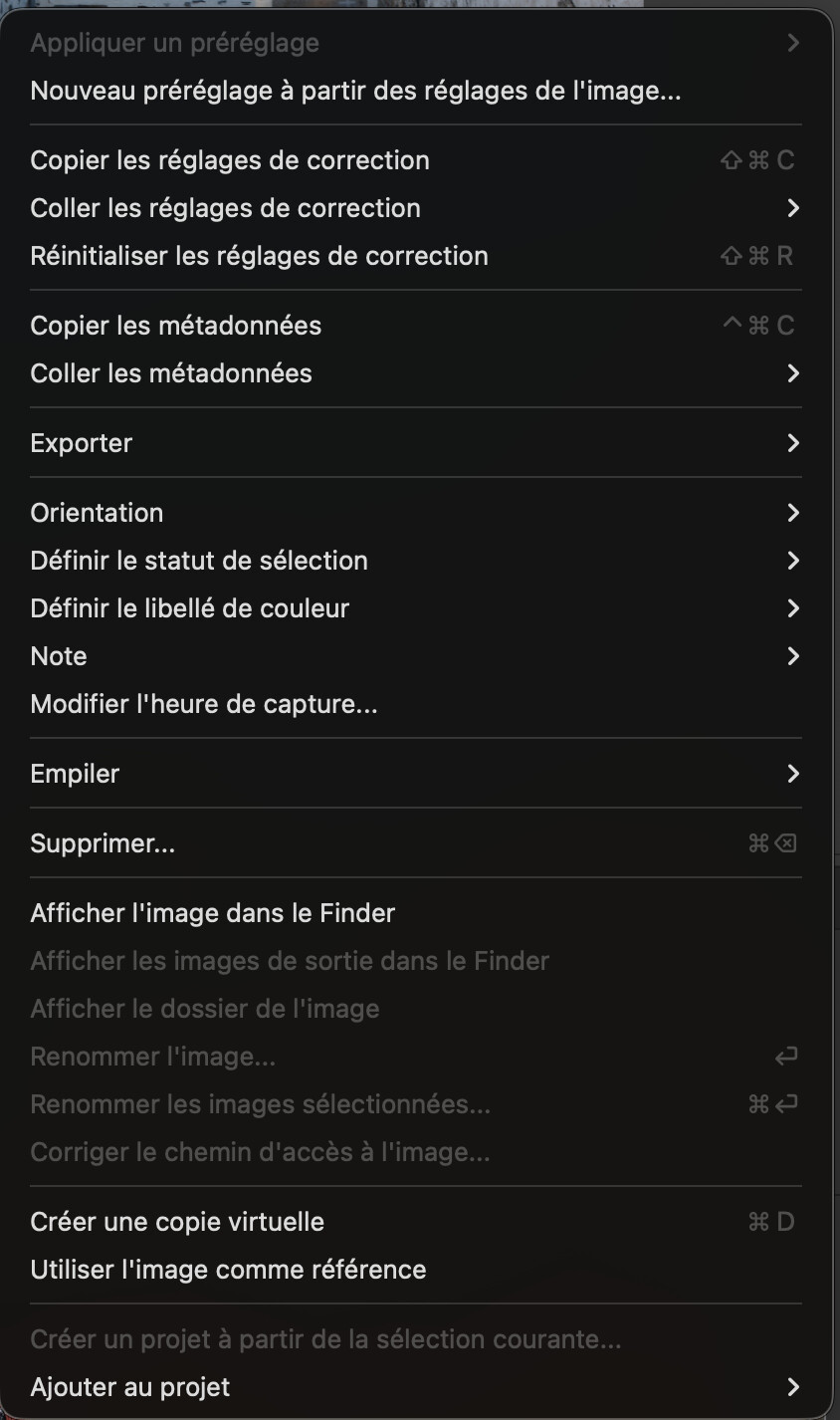
I am not alone on macOS : do others see the menu Remove ? Joanna perhaps ?
herman
(Leica M9 | iPhone 17 Pro | iMac M1 | PL9, FP8, VP5 | Photo Supreme)
34
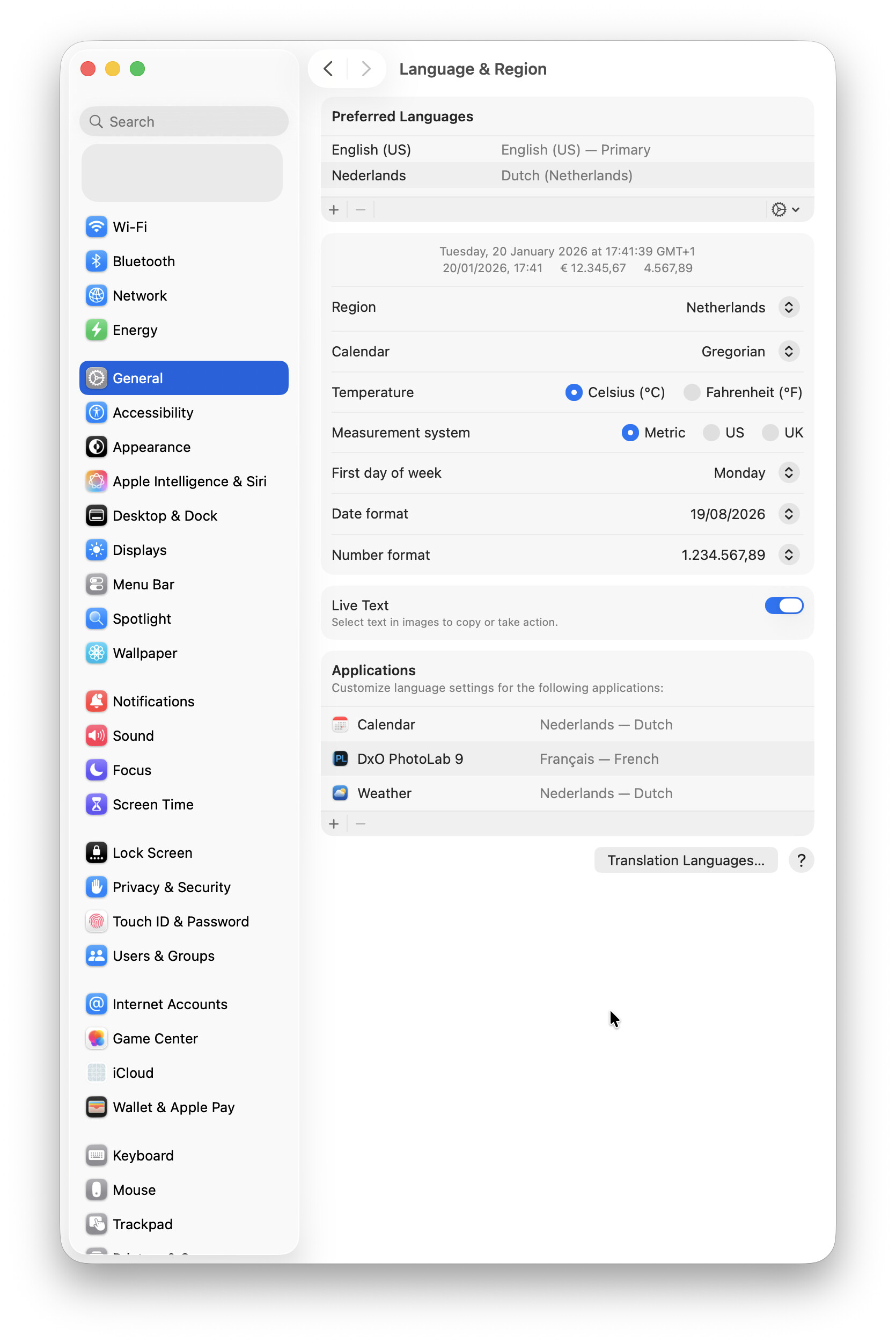
On a Mac you can change the language of DPL, you can choose between English, French, German, Simplified Chinese and Japanese.
On a US English installation follow these steps:
Apple symbol - System Settings - General - Language & Region.
In the lower right hand pane you will find an Applications section.
Click the + icon, select your DxO version from the drop down list, choose one of the supported languages et voilà.
On my US English Mac I just changed the DPL language from English to French, it works as advertised.
Stenis
(Sten-Åke Sändh (Sony, Win 11, PL 6, CO 16, PM Plus 6, XnView))
35
I would worry about that if I was more senile than I am. I never update metadata in Photolab and that is not all that hard to avoid since metadata management in Photolab is so poor and inefficient
It works both ways but it is a bad idea to to run metadata updates bidirectional since all applications handles this differently. In some applications exporting to XMP is optional and sometimes data is “forked” differently between different applications but the worst is that most older applications are not at all XMP from top to bottom but IPTC, which is an old to a great extent obsolete standard.
It is often possible with some tweaking of mappings between thirdparty applications to Phoptolab to get it working by changing mapping in the thirdparty application since Photolab has no interfaces at all for that, That is what I have had to do both in PhotoMechanic and iMatch DAM.
Normally I don´t use the metadata-system at all in Photolab - I just use it to check - on the fly - if I have missed to update some of my pictures in iMatch.